

Contrary to popular belief, Lorem Ipsum is not simply random text. It has roots in a piece of classical Latin literature from 45 BC, making it over 2000 years old.
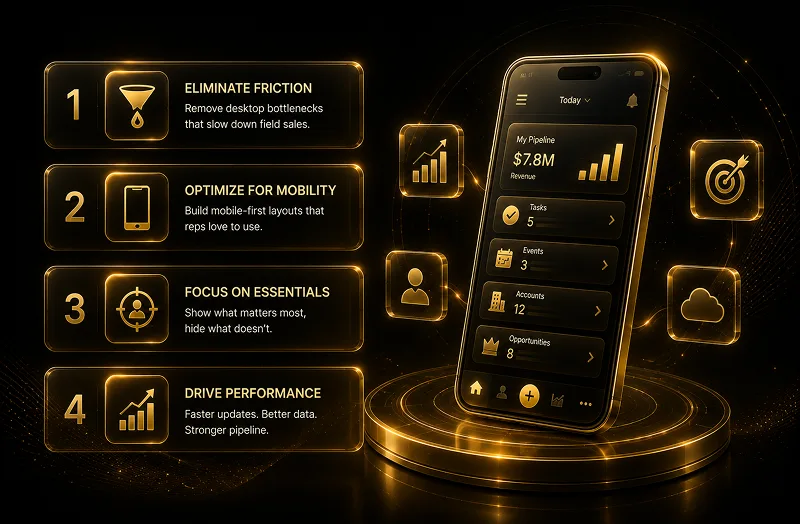
For modern Chief Revenue Officers (CROs) and technology executives, sales velocity is a metric defined on the front lines. Yet, many organizations encounter an invisible barrier to scaling field performance: the desktop-first CRM bottleneck.
When your account executives are on-site with enterprise clients or closing deals on the road, forcing them to interact with dense, multi-column desktop layouts on a mobile interface stalls momentum. If logging a client interaction or updating an opportunity stage requires infinite vertical scrolling and clumsy field entry, data latency creeps in. For the C-suite, inaccurate field logging does not just mean empty records—it directly skews pipeline visibility, distorts quarter-end forecasting, and lowers your overall CRM return on investment (ROI).
A standard operational pitfall is assuming that because a page functions perfectly on a 27-inch office monitor, it will naturally scale down to a 6-inch mobile screen. Replicating a desktop environment within the mobile container forces mobile hardware to download unnecessary metadata, rendering components your field reps do not require.
According to official Salesforce Mobile App Design Standards, high field adoption relies on minimizing data density. When field agents are forced to hunt through non-essential administrative fields, manual data logging is delayed until the end of the week. This delays critical deal updates and creates massive data gaps.
To solve field data friction, enterprise teams must shift from a replication mindset to Form Factor Optimization. This architecture uses the native tools within the Salesforce Lightning App Builder to build separate, specialized layouts for mobile users.
By utilizing device-specific rendering and touch-optimized interfaces, you convert your CRM from a passive system of record into an active, field-ready productivity tool.
Implementing a high-converting mobile configuration requires structuring your metadata around speed, visibility, and layout hierarchy.
Elevate Critical Context via Compact Layouts
A field rep walking into a client meeting needs immediate situational awareness. Salesforce recommends utilizing optimized Compact Layouts to isolate the top-level "Highlights Panel" on mobile viewports. Restrict this specific section to the 4 most critical fields—such as Deal Value, Current Stage, Primary Contact, and Last Touchpoint—to provide instant context without layout scrolling.
Enforce Device Visibility Rules via Dynamic Forms
Enterprise records often contain extensive administrative fields required strictly for backend auditing. To prevent mobile layout bloat, utilize Dynamic Forms conditional visibility rules:
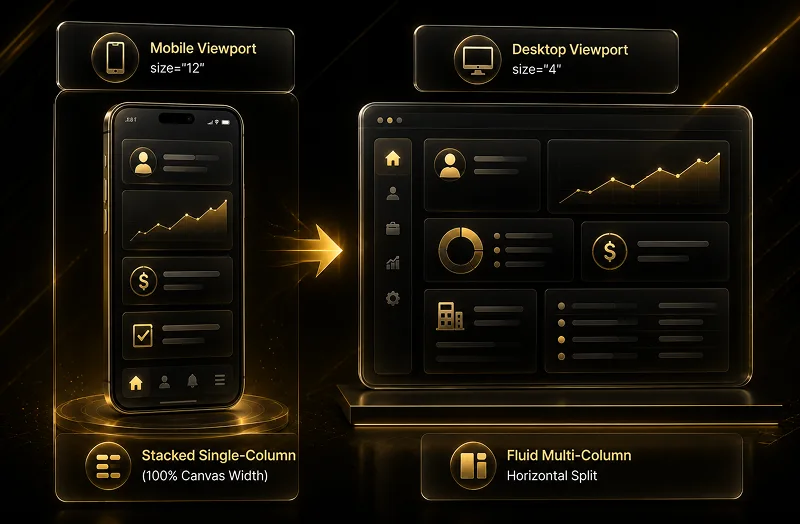
Implement Responsive Grid Allocation
For custom interfaces or dashboard panels, hardcoded layout components break across smaller viewports. Salesforce developers should always implement the Salesforce Lightning Design System (SLDS) responsive fluid grid utility to handle layout sizing dynamically:
Swap Text Fields with Touch-Friendly Quick Actions
Manual typing on virtual keyboards introduces data errors. Streamline the user experience by replacing open-ended text fields with object-specific Quick Actions. Designing macro-shortcuts like "Log Customer Visit" allows reps to update field values, log timestamps, and create follow-up tasks automatically behind the scenes with a single tap.
Optimizing your Salesforce mobile configuration delivers measurable operational gains across your revenue lifecycle:
Transitioning to a mobile-first architecture is a calculated strategy to eliminate administrative waste and empower your revenue teams to close deals faster. By aligning your layouts with native Salesforce mobile standards, you turn your CRM into a powerful, field-ready sales asset.
Ready to maximize your mobile field performance? Select a path forward below:Request a Mobile User Experience (UX) Readiness Audit Explore Offline Capabilities for Remote Field Teams


